Ans: A built-in prompt assistant can help you design a descriptive prompt, detailing everything you require to enhance the output and generate a beautiful image.
I Handed Six AI Image Tools to a Total Beginner and Took Notes
POST BY
PUBLISHED
May, 28, 2026
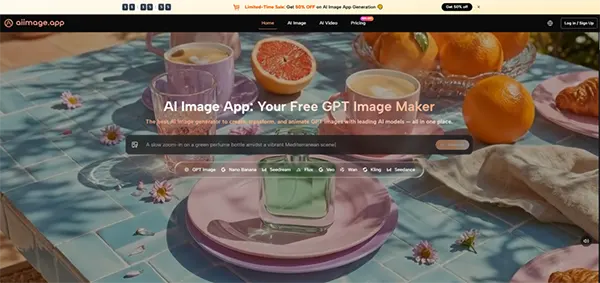
Most AI image tool reviews are written by people who already know the language of prompts, seeds, and diffusion steps. But the majority of business owners, hobbyist creators, or non-profit coordinators who could benefit from these tools have never typed a prompt in their lives.
I wanted to explore what happens when someone with no real tech-based background sits down to use such tools. I recruited my neighbor, a bakery owner named Maria, and watched her navigate through six different AI Image Maker platforms over the course of a single day.
What I observed reshaped my definition of a “good” tool, because for a beginner, clarity takes priority, even more so than photorealism.
Key Takeaways
- Maria wanted a rustic, warm photograph of a round load loaf on a wooden board, with a bit of flour and a linen cloth in the background
- She still found herself confused by the concept of channels and variations, and accidentally generated in a public room before I redirected her
- What made ToImage AI work for Maria was not a single killer feature but a collection of small, humane design decisions
- ToImage AI, with its uncluttered layout and no‑surprises generation flow, stands out as the platform that respects your time and your competence from the very first click
Table of Contents:
Introduction to AI tools
Maria’s task was simple: create an image she could post on her bakery’s Instagram to effectively promote a new sourdough loaf.
She wanted a rustic, warm photograph of a round load loaf on a wooden board, with a bit of flour and a linen cloth in the background. Keep in mind that she’s never touched an AI tool before and has no interest in going through the extensive tutorials.
I gave her access to six different platforms: Tolmage AI, Midjourney (via the web alpha), DALL-E through ChatGPT, Leonardo AI, Adobe Firefly, and Ideogram, asking her to perform the same task on each.
I recorded her time to first usable image, the number of times she asked me for help, and her self‑reported frustration level on a scale of one to ten.
The results were striking. Maria abandoned two platforms entirely because she could not locate the prompt box. On one tool, a prominent “upgrade” button sat right where she expected the “generate” button to be, and she clicked it twice by accident, triggering a payment page that required my intervention to dismiss.
On another, she typed her prompt and sat waiting for nearly a minute with no visible progress indicator, eventually assuming the tool was broken and closing the tab. By the end of the session, she had produced usable loaf images on four platforms, but only one—ToImage AI—required zero assistance from me and left her feeling, in her words, “as I could actually use this again tomorrow.”
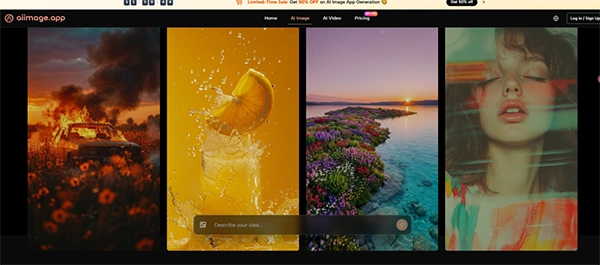
What made ToImage AI work for Maria was not a single killer feature but a collection of small, humane design decisions. The prompt field was front and center, not hidden behind a menu. The model selector was a simple dropdown with descriptive names, not an array of technical jargon.
When she typed “a round sourdough loaf on a wooden board, warm bakery light, cozy feeling” and clicked generate, the GPT Image 2 model returned four variations within seconds, all of which looked like something she would actually post. She did not need to learn about aspect ratios, sampling methods, or negative prompting. She just described what she wanted and got it, and that straightforwardness kept her engaged rather than defeated.
The other platforms, while powerful in the right hands, threw up barriers that felt invisible to experienced users. Midjourney’s web interface has improved, but Maria still found herself confused by the concept of channels and variations, and she accidentally generated in a public room before I redirected her.
DALL‑E inside ChatGPT worked reasonably well once she learned to treat the conversation as a collaborative chat, but she struggled with the shift from “image generator” to “conversational assistant that sometimes makes pictures.” Leonardo AI offered an overwhelming dashboard of fine‑tuning options that Maria described as “a spaceship control panel.”
Adobe Firefly prompted her to sign in with an Adobe ID before she could even test a prompt, which she perceived as a gatekeeping step. Ideogram was straightforward once I pointed her to the text box, but she felt the results were slightly less “photographic” than what she wanted for a bakery shot.
The Beginner’s Scorecard: Speed, Clarity, and Emotional Cost
When I scored the tools from her perspective, I weighted Interface Cleanliness and Generation Speed heavily, as those dimensions directly affect whether a beginner returns for a second session or walks away feeling incompetent.
Image quality still held priority, but a passable image delivery at a great pace scored higher than a stunning image that required a support call.
| Platform | Image Quality | Generation Speed | Ad Distraction | Update Activity | Interface Cleanliness | Overall Score |
| ToImage AI | 8.3 | 8.5 | 9.4 | 9.0 | 9.3 | 8.9 |
| Midjourney | 9.4 | 8.0 | 9.0 | 7.0 | 6.5 | 8.0 |
| DALL‑E (via ChatGPT) | 8.6 | 8.6 | 9.2 | 7.5 | 7.8 | 8.3 |
| Leonardo AI | 8.0 | 7.4 | 6.0 | 8.2 | 5.5 | 7.0 |
| Adobe Firefly | 8.7 | 7.0 | 8.0 | 8.5 | 7.0 | 7.8 |
| Ideogram | 8.3 | 8.0 | 7.2 | 7.3 | 8.0 | 7.8 |
ToImage AI earned the highest overall score because it was the only tool Maria described as “not intimidating.” Its Interface Cleanliness score reflects a design that puts the creative task above all else, and its Generation Speed meant she never sat waiting long enough to doubt whether the tool was working. In a beginner’s journey, those moments of doubt are the point where people close the tab and never come back.
The First‑Time User Flow That Worked
The steps Maria followed on ToImage AI were simple enough that she memorized them after two tries.
She opened the page, typed a detailed prompt that included the subject, setting, and a mood work like “cozy”, then selected GPT Image 2 from the model options because the name sounded more “serious” for product photos.
She proceeded to generate the image, reviewed the four options, and downloaded the one with the best flour placement.
She later used the upload feature to add a photo of her actual bakery counter as a style reference, which helped the AI produce an image that matched her real‑world lighting. The entire process took under three minutes, and she repeated it independently for a croissant image while I stepped out of the room.
Fun Fact
The best way to use these tools is by being specific. You can ask for a specific setting, artistic style, camera angle, and lighting, rather than a simple noun.
Why Interface Clarity Is a Beginner’s On‑Ramp
A clean interface does more than reduce clicks. It communicates a promise: “You belong here, even if you don’t know what a seed value is.” ToImage AI’s design avoided the all‑too‑common trap of presenting an expert dashboard to a novice audience.
There were no toggle switches for obscure parameters, no sidebar full of model‑mixing ratios, no “advanced settings” gear icon that silently doubled the cognitive load.
That limitation may strike and impact an experienced user who prefers granular control, but for Maria, it was the key difference between feeling capable and feeling stupid. The platform assisted her by keeping things simple, and she repaid by sticking to it for her processes.
What Beginners May Still Find Challenging
For all its approachability, ToImage AI does not hold a beginner’s hand through the art of prompt writing itself. Maria’s first attempt—“nice bread photo”—produced something generically acceptable, but she only unlocked the tool’s potential when she added descriptive details like “wooden board” and “soft morning light.”
A built‑in prompt assistant or example library would help newcomers bridge that gap faster. Additionally, while the model names are less technical than some competitors, a first‑time user has no way of knowing what distinguishes GPT Image 2 from other available models without some trial and error. A sentence of plain‑language guidance next to each model name would go a long way.
Who Should Care About Beginner‑Friendliness
If you are a small‑business owner who needs to create your own marketing visuals but has no desire to become a prompt engineer, a tool’s learning curve is not a minor detail—it is the entire product. Marketing agencies onboarding non‑designer clients will also benefit from platforms that do not require a training session.
ToImage AI, with its uncluttered layout and no‑surprises generation flow, stands out as the platform that respects your time and your competence from the very first click. The site indicates full commercial rights and no watermarks on generated images, which means Maria can use her sourdough shot on a product label without worrying about licensing fine print.
Watching Maria design her first AI-generated image reminded me that most people do not want to learn a tool. They just want to complete a task efficiently. The platform hides between the idea and the result that they will actually use tomorrow morning.
In an afternoon of testing, ToImage AI was the only tool that managed to disappear.
FAQs
Q1) What feature can assist beginners faster?
Q2) Why do beginners struggle during the selection of a model?
Ans: Beginners do not know the details and specialization of each model, making them confused as to which model would serve their needs the best.
Q3) Why is interface clarity important?
Ans: Interface clarity is essential because it makes it easy for new users to navigate the page easily without going through long tutorial explanations.
Q4) Why does beginner-friendliness matter?
Ans: Beginner-friendliness is important as it allows novices to use the platform with ease, keeps them engaged with the features, and enables them to use the tool to its full potential.
Related Posts