Integrating AI into existing ERP and inventory management platforms is challenging due to rigid workflows and batch data processing.
Beyond the Single Model Trap: What Happens When an Editor Hosts Multiple AI Engines
POST BY
PUBLISHED
July, 15, 2026
AI image editing has become an awkward pattern now.
While most tools rely on one model pattern, where everything from editing to realistic appearance is carried out by a single tool.
Another generates creative styles but fails to preserve subject identity across multiple edits.
And as a result of this, users stand confused between the two.
That is the pattern AI Photo Editor disrupts, not by a single model, but by hosting multiple models behind a single interface.
Here is an article for further details:
Key Takeaways
- Multi-model AI editors overcome the limitations of single-engine AI by matching different models to different editing tasks.
- And specialised AIs are better at realism, speed, precision and editing text and doing artistic transformations.
- One interface streamlines workflows, eliminating the hassle of hopping between different AI tools and subscriptions.
- This task-first design enables powerful AI editing even for users who don’t have the technical knowledge of individual models.
What makes this approach worth exploring is the shift in user experience it enables.
When you have access to multiple models without switching between , the creative process evolves. You are no longer stuck with whatever one tool happens to the best. You can match the right engine to the job.
Need hyper-realistic results?
There is a model for it.
Need speed for rapid experimentation?
There is a different model for that.
Need precise context-aware editing where changing one element does not affect everything else around?
That model handles too.
The question is whether this multi-model aggregation actually improves the editing experience or simply adds unnecessary. After testing the platform across a range of real-world tasks, the answer appears to depend on the user’s workflow and preferances.
Table of Contents:
- The Model Roster: More Than a Marketing List
- Testing the Multi-Model Approach Across Different Tasks
- How the Multi-Model Workflow Actually Works
- A Candid Look at Where the Platform Hesitates
- Comparing the Multi-Model Approach to Single-Model Alternatives
- Who Benefits Most from Multi-Model Access
- The Value of Choice in a Single Interface
- Conclusion
- FAQs
The Model Roster: More Than a Marketing List
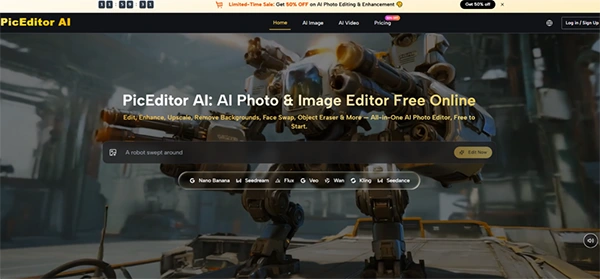
Landing on the site, the first thing that stands out is the model roster. Nano Banana, Nano Banana 2, Flux Kontext Pro, Flux Kontext Max, Seedream 4.0, Seedream 5.0 Lite, GPT-4o, Qwen, Veo 3, Veo 3.1 series, Kling 2.x, Seedance, Wan 2.5, Runway Gen 4, Grok. These are not generic names. These are the production models that experts in AI-generated content communities argue about weekly.
Seeing these models behind one account rather than spread across multiple accounts is the platform’s clearest value offering. For a creator who regularly switches between photorealistic editing, style transfer, and video generation, having all these engines available in one place reduces both cost and effort.
The platform does not front-load complexity. There is no lengthy onboarding process, no forced walkthrough. The homepage presents tool categories immediately:
- AI Image
- AI Video
- Background Remover
- Object Eraser
- Face Swap
- Photo to Cartoon
- Style Transfer
- Collage Maker
- Upscaler, and Glare Removal.
From the creator’s perspective, this is the uncommon case where a wide feature set does not also mean a confusing experience.
Testing the Multi-Model Approach Across Different Tasks
To understand how the platform’s model aggregation actually works, I ran a series of tests designed to push different engines in different directions. Each test revealed which models shine in specific scenarios.
Hyper-Realistic Detail Work with Nano Banana
The first test involved a portrait that needed subtle inhancements:
- skin smoothing
- eye sharpening
- and noise reduction without losing natural texture.
Nano Banana, described as a high-detail engine that supports hyper-realistic results, handled this task with notable precision. The output retained skin pores and hair strands while reducing the noise of the original. The result looked like a professional edit rather than an AI effect.
The newer Nano Banana 2 pushes output up to 4K resolution and supports batch processing, making it the preferred choice when editing many images or when the result needs to be sharp enough for a large screen. In my testing, the difference between the two versions was most noticeable in fine details like fabric textures and reflective surfaces. The newer model handled these with greater accuracy, though the improvement was incremental rather than revolutionary.
Speed-First Editing with Seedream
The second test focused on speed over absolute quality. I needed to generate multiple versions of a product image to test different background and lighting effects. Seedream, built for speed, produced results noticeably quicker than the other models. When working quickly through ideas, that speed advantage significant . The quality was still impressive , but the output lacked the fine detail that Nano Banana provided . This trade-off is exactly what you would expect: speed comes at the cost of accuracy.
Where Seedream stands out is in rapid experimentation. If you are testing concepts and need to see multiple options before committing to a final edit, the speed makes the process smoother . You can generate version , review it, tweak the prompt, and generate another in the time it would take a slower model to produce a single output.
Context-Aware Precision with Flux
The third test examined the platform’s most challenging capability: editing one element of an image without altering the rest. Flux, described as a precision engine for detailed edits, handles context-aware editing where you change one element without the rest of the picture moving around. It also supports text-in-image editing, replacing or correcting words inside a picture—a task that most AI tools are genuinely poor at.
I tested this on an image with a storefront sign that needed a text change. The result was remarkable. The new text matched the perspective, lighting, and style of the original sign well enough that the edit was not seamless. The surrounding elements remained unchanged . For e-commerce product shots that include packaging text or for any image where text accuracy matters, this capability is genuinely valuable.
Style Transfer and Artistic Transformation
The fourth test showcased the platform’s creative side. Style transfer transforms a photo into a different artistic style while keeping the subject identifiable. I uploaded a regular landscape and applied a glitch-art style filter. The result transformed the image into digital pixels and crystalline shards. The effect was dramatic and visually striking, though it clearly prioritized artistic expression over realism.
What stood out me was the ability to combine style transfer with specific instructions. I asked for a “cyber-glitch” look with pink tones and glowing accents. The result captured the spirit of the request, though the output was more stylized than photorealistic. The platform seems better suited for expressive, illustrative styles than for achieving hyper-realistic painting-like effects.
How the Multi-Model Workflow Actually Works
The platform’s usability comes down to a short, consistent process that works the same way regardless of which model is handling the task.
Step 1: Upload Your Image
The Starting Point Is the Image, Not the Tool
The upload area is the first thing you notice. You can drag and drop a file or click to select your device. The interface supports popular formats like JPEG, PNG, and WebP. Once the image loads, it appears in a preview window with tool icons displayed along the side. The platform does not ask you to choose a model immediately. That decision happens behind the scenes based on the task you choose.
No Account Required for Initial Testing
You can upload, edit, and download results without registering an account. This lowers the barrier to entry significantly and allows you to test the platform before committing to a subscription. For quick edits on a single image, this friction-free approach is a significant benefit.
Step 2: Select Your Edit Type
This involves choosing the specific edit type for your file.
Task-First Organization Keeps Things Simple
The tool icons include background removal, object erasure, image upscaling, style transfer, and video generation. The site organizes entry points by function rather than by model. A user who wants to erase an object chooses Object Eraser. A user who wants a painting effect opens Photo and picks Painting. This task-first structure means the platform automatically chooses which underlying models are appropriate for each job; the user does not need to know which engine powers which operation.
Reference Images for Consistency
For tools like Nano Banana that support up to four reference photos, users can upload reference visuals to guide style or character matching rather than relying solely on text descriptions. This is particularly helpful when you need a character or product to look the same across a series of images.
Step 3: Generate and Iterate
The third step involves generating and iterating the gained results after making the changes at editing.
Comparing Results Across Models
One overlooked capability is the ability to run the same image through multiple models and compare outputs. For example, users can edit the same portrait with both Flux Kontext Pro and Nano Banana and compare which version looks better. The comparison happens within the same platform rather than across separate accounts. For iterative creative work, this represents a meaningful time-saving.
Results May Vary with Prompt Specificity
The result will vary depending on prompt detail. Vague instructions tend to produce similar outputs across all models, and that is a platform-agnostic constraint rather than a product flaw. Being clear about what you want changed and how you want it to look enhances the output across every engine.
A Candid Look at Where the Platform Hesitates
No multi-model platform is without drawbacks, and this one has several that became clear during testing.
First, the quality of the output remains linked to the quality of the input. Low-resolution or heavily compressed photos produce less-deatiled results regardless of which model is used. A clean, well-lit source image gives the AI a better target than a noisy, crowded, or low-resolution image.
Second, the platform does not offer model selection directly to the user in most workflows. While this reduces complexity, it also means you cannot always choose which engine processes your task. For power users who prefer specific models for specific jobs, this lack of control may feel limiting.
Third, complex edits involving multiple objects or detailed backgrounds may require multiple generations to get right. The AI does not always understand the full context of a scene, and it can occasionally misread ambiguous prompts. This is not unique to this platform; it is a trait of the underlying models.
Fourth, the video generation features are still improving. While they produce impressive results for simple animations, longer or more complex sequences may show inconsistencies. The feature is best approached as a creative tool rather than a production-grade video tool.
Finally, the free tier has limits on current generations and processing priority. For occasional use, these limits are unlikely to be an issue, but frequent users will likely find value in the paid plans.
Comparing the Multi-Model Approach to Single-Model Alternatives
To put the platform’s approach in context, it helps to compare it with single-model AI editors and traditional software.
The following table summarizes the key differences.
| Aspect | PicEditor AI (Multi-Model) | Single-Model AI Editors | Traditional Software |
| Model Flexibility | Multiple engines for different tasks | One engine for everything | Not AI-driven |
| Task Versatility | Wide range of editing types | Limited to what one model does well | Unlimited with skill |
| Learning Curve | Shallow; task-first organization | Varies; often model-specific | Steep; requires training |
| Speed | Fast; some models optimized for speed | Varies by model | Slow for complex tasks |
| Creative Control | High-level direction | Limited by model capabilities | Granular control |
| Best Use Case | Multi-type editing, experimentation | Specific, repetitive tasks | Professional retouching |
Who Benefits Most from Multi-Model Access
Based on my evaluation, the platform’s multi-model approach is best suited for three groups of users.
Content creators who work across different visual formats—photos, illustrations, animations—will benefit from multiple engines available without switching platforms.
The ability to match the model to the task reduces the effort of creative work.
E-commerce teams managing product catalogs can use the platform for background removal, upscaling, and text correction across hundreds of images. The batch processing capability of Nano Banana 2 is particularly helpful in this context.
Casual users who want to experiment with different styles and effects without committing to a single tool will find the platform’s range of options attractive. The task-first organization makes it simple to try different approaches without getting lost in technical details.
The Value of Choice in a Single Interface
The broader idea is that the AI editing landscape has moved past the era of single-model reliance. Different models have different capabilities, and the best tool for a given job depends on what that job demands. By bringing together multiple models behind a single interface, AI Photo Edit offers a practical solution to the fragmentation problem that has affected the space. You no longer need to choose between photorealistic detail and creative style, or between speed and accuracy. You can have access to all of them, and the platform helps you select the right one for each task.
Conclusion
After spending significant time with the platform, I came away with a greater appreciation for its pragmatic approach to model aggregation. It does not claim to have built the best single model. Instead, it offers access to the ultimate models for different jobs, all in one place. For users who value flexibility and efficiency over absolute control, that is a compelling advantage .
FAQs
What is the significant challenge when choosing and integrating AI models into existing workflows?
Which AI can carry out only a single specialized task?
Artificial narrow intelligence (ANI) refers to AI systems designed to perform a specific task or a limited set of tasks.
What allows multiple AI systems to work together across use cases?
Designing compound AI systems involves integrating multiple AI models and components into cohesive frameworks capable of tackling complex tasks.
Do GenAI models always produce the same output for the same input in deterministic processing?
GenAI models always generate the same output for the same input due to their deterministic nature. Here’s the best way to solve it.
Related Posts