Look for a secure HTTPS connection, a professional layout and minimal advertisements. These are common signs of a safe platform.
How to Stay Safe When Using Online Conversion Tools
POST BY
PUBLISHED
August, 3, 2026
Have you noticed how modern conversion tools have made it truly simpler to convert videos, audio files, documents, and images without downloading additional software? Their speed and features have made them a perfect choice for routine tasks.
But here is a concern most users ignore—not every converter comes with the same level of security. Many sites are filled with unnecessary advertisements, download links, and scammy redirects that cross privacy and security limits.
Keep reading to learn smart ways to stay safe when using online conversion tools.
Table of Contents:
- Choose Trusted Websites
- Always Check for HTTPS Encryption
- Avoid Downloading Extra Software
- Be Careful with Misleading Download Buttons
- Protect Your Personal Information
- Watch Out for Excessive Advertisements
- Keep Your Browser Updated
- Consider Using a VPN on Public Networks
- Trust Your Instincts
- Final Thoughts
- FAQs
Choose Trusted Websites
The first step is to find a website with a good reputation.
Reliable online tools usually provide a clean interface, inform their services clearly, and avoid misleading visitors with unhelpful pop-ups or fake download buttons. A trustworthy website focuses on wrapping up the conversion rather than distracting users with excessive promos.
Before using any online converter, take a few minutes to review the website and ensure it looks professional and well-organized.
Always Check for HTTPS Encryption
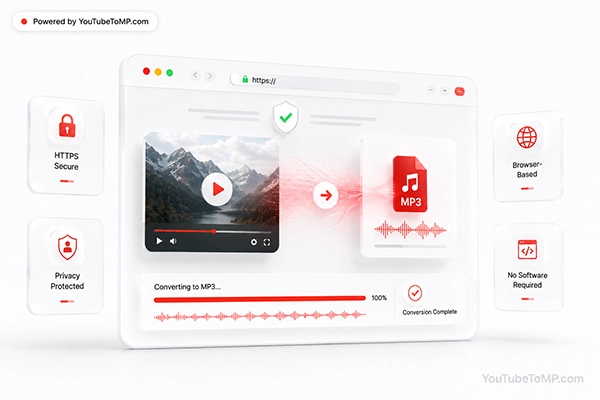
One of the most straightforward ways to identify a secure website is by checking if it uses HTTPS.
A secure connection helps shield the information exchanged between your browser and the website. While HTTPS doesn’t promise that every service is trustworthy, it is an important security feature that reputable online platforms usually use.
If a website doesn’t provide a secure connection, it’s always better to avoid using it.
Avoid Downloading Extra Software
Many people choose browser-based tools because they don’t want to install extra programs.
Regretfully, some websites encourage visitors to download software that isn’t required for the conversion process. In some cases, these downloads may include additional applications or create redundant security risks.
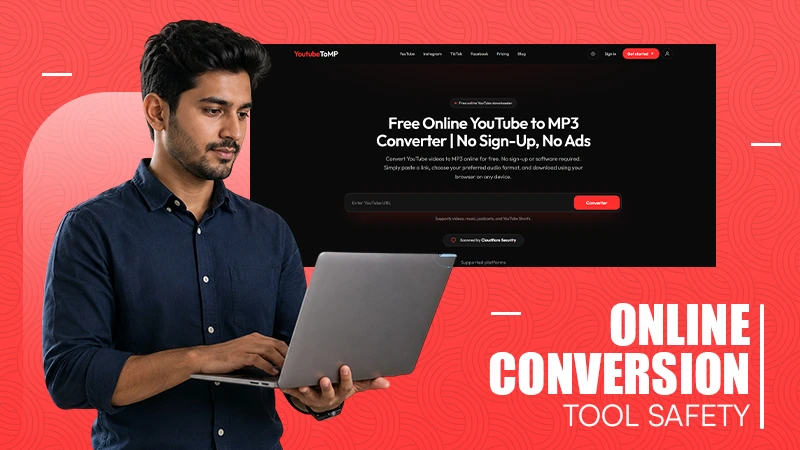
Instead of installing plugins that take up storage space and require updates, many users now prefer browser-based services that finalize the entire process online. YouTubeToMP follows this approach by presenting a simple way to use a YouTube to MP3 Converter directly from a web browser without asking for software installation or account registration. Using trusted browser-based services helps reduce accidental downloads while keeping the conversion process quick and safe.
Be Careful with Misleading Download Buttons
One of the most common tactics used by low-quality websites is to present multiple download buttons.
Some of these buttons don’t start the procedure at all. Instead, they may redirect users to advertisements or standalone websites.
Before clicking any button, make sure it relates to the conversion tool you’re using. A clean website with a simple grid usually makes this much easier.
Also, explore 6 of the best remote access tools built for IT professionals.
Protect Your Personal Information
Most online conversion tools don’t need your identification details.
If a website asks you to build an account, provide payment information, or share additional personal data for a basic conversion, it’s worth asking whether those fields are actually required.
For simple online conversions, users should expect a quick process without extra registration.
Watch Out for Excessive Advertisements
Advertising helps many free online services remain accessible, but there is a difference between normal advertising and an annoying user experience.
If a website repeatedly opens new tabs, displays aggressive pop-ups, or blocks every step with advertisements, it may not provide the most effective browsing experience.
Authentic services usually keep distractions to a minimum so users can complete their tasks without disorientation.
Keep Your Browser Updated
Your browser plays an essential role in online security.
Modern browsers regularly get updates that improve defences against phishing websites, malicious downloads, and other online attacks.
Keeping your browser updated ensures you benefit from the latest security enhancements while navigating online tools.
Consider Using a VPN on Public Networks
If you’re using online tools while tied to public Wi-Fi, a VPN can provide an added layer of privacy.
VPN services encrypt your internet traffic, making it more complicated for others on the same network to analyze your online activity. While a VPN isn’t required for every conversion, it can improve privacy when browsing on public networks.
Trust Your Instincts
Sometimes the safest option is simply leaving a website.
If something feels strange, such as unexpected redirects, constant pop-ups, requests for unnecessary permissions, or unclear instructions, it’s usually better to find a new service.
There are many legitimate online tools available, so there’s rarely a reason to continue using one that doesn’t inspire reassurance.
Also. Learn why digital privacy matters as much as Instagram video performance in 2026.
Final Thoughts
At the end of the day, conversion platforms have become tools for routine use, and ensuring some privacy is essential to stay safe. This is why choosing reliable platforms, verifying secure connections, and avoiding downloading any unnecessary software can actually reduce common online security risks.
This way, just taking a few smart decisions before clicking the ‘convert’ button can help you use the same tools securely for a long time.
FAQs
How to know if a conversion tool is safe to use?
Is it safe to download software from conversion sites?
If the software comes from a reputable and recognized platform, it can be downloaded. Otherwise, it should be avoided.
Why is HTTPS crucial?
HTTPS safeguards the connection between the browser and the website, helping to protect the information.
Related Posts