Give each performer a clear role, plan the exchange, and end with a shared action or beat to make a two-person music clip feel like a real interaction.
How to Make a Two-Person Music Video Feel Like a Real Performance
POST BY
PUBLISHED
October, 8, 2026
Two people exist in the same music video, yet the scene feels disconnected. One looks towards the camera while the other moves without responding. Their movements may be lively, but viewers cannot know who is leading or why they are performing together.
Editing advice often prioritizes transitions, filters, and cuts that match the beat. However, these techniques cannot create a totally unplanned relationship. A duet needs an exchange viewers can get: a challenge, joke, answer, or celebration.
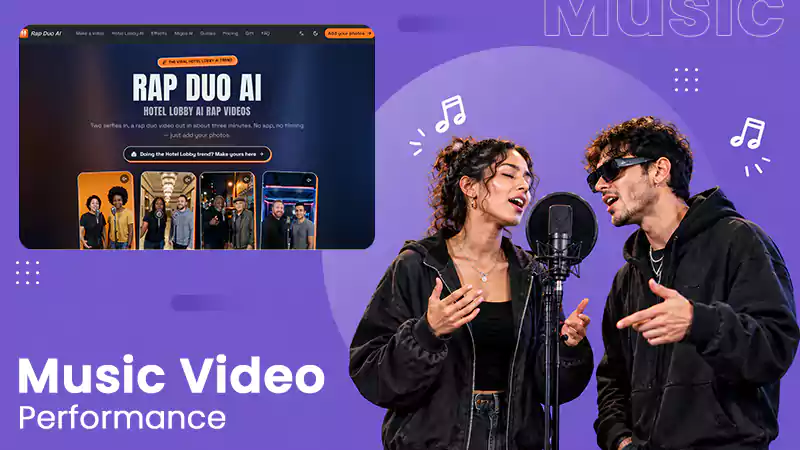
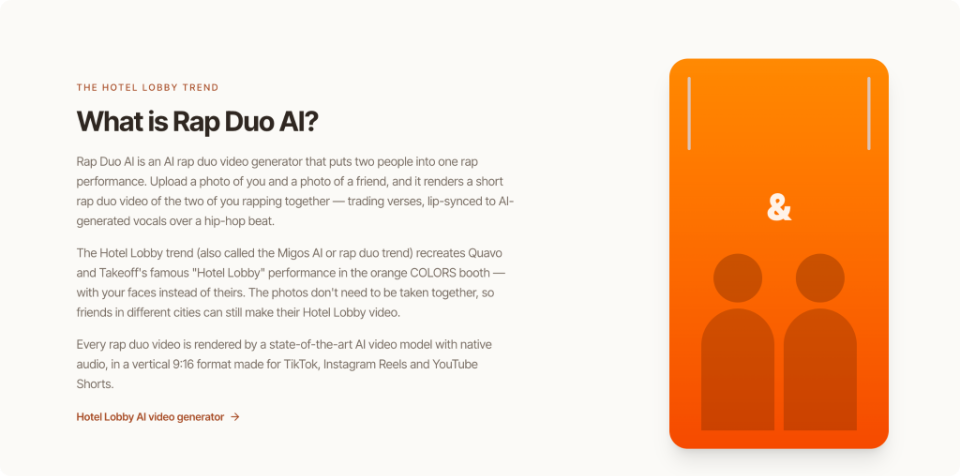
When filming together is impractical, Rap Duo AI presents a way to explore two-person rap performances using photographs. The important task remains designing the interaction and deciding what makes it believable. The following workflow involves filmed footage, animation, and generated clips.

Table of Contents:
Give Both Performers a Distinct Narrative Role
Start with one sentence describing the relationship. Instead of “two friends having fun”, try “one friend boasts about winning every round, while the other recalls their embarrassing losses”. This creates two positions, an identical tone, and a reason for alternating lines.
Consider whether someone watching silently could identify who starts the exchange. Would the second person’s entrance feel like a reply instead of a random change? If not, simplify the story before selecting backgrounds or effects.
Define each performer using a verb. One challenges; the other dismisses. One celebrates; the other joins. Adjectives describe appearances, but actions establish relationships. Put these verbs beside your draft and remove clips that contradict the intended interaction.
Plan the Exchange Before Choosing Visual Effects
Sketch an eight-to-fifteen-second sequence with an opening cue, a reply, and a shared conclusion. Listen to the intended rhythm while marking each transition. If the response comes too late, reduce the words or reposition the cut. Additional visual effects cannot repair awkward timing.
1. Establish Who Speaks First
Start with a gesture defining the leader. A forward glance, raised hand, or movement towards a microphone can work. Keep the second performer visible if possible. Otherwise, introduce them quickly enough that the clip presents a duet instead of suggesting a solo performance.
2. Make the Reply Change Something
Provide the second performer a response that adds information. Repeating the opening boast may preserve the rhythm but leaves the exchange static. An interesting contradiction or unexpected compliment brings momentum. In a birthday clip, one voice might praise someone’s cooking while the second mentions their famously burnt toast. The humour arrives from contrast instead of complicated visuals.
3. Reserve a Shared Closing Beat
Conclude with an action both performers share: a nod, glance, or final line together. Hold the moment precisely before cutting away. Ending immediately after the second verse can leave the interaction incomplete. The closing beat should resolve the exchange brought at the start.
Choose Footage That Supports Recognisable Interaction
Decide whether to film, animate or generate the performance. Filming gives direct control over gestures and expressions but needs coordination and retakes. Animation supports exaggerated reactions but requires consistent character design. Photo-based generation suits brief stylised performances when participants cannot record together, although it can be unsuitable for specific choreography.
For a photo-based experiment, arrange well-lit portraits of two consenting participants with unobstructed facial features. In an AI Rap Duo Video Maker, creators can provide two portraits, select a performance setting, and enter a short topic, such as a humorous birthday roast. The tool can generate a rap performance with vocals and synchronised mouth movements. Check facial consistency, speaker transitions, and whether the words fit the intended interaction before getting the result.
Keep backgrounds secondary to the performers. A crowded setting can look impressive in a still image but distracts from facial reactions. Review the preview on the phone. If the exchange becomes hard to follow, simplify the background, crop closer, or reduce competing movement.
Test Timing and Continuity Before Publishing
A promising preview still requires careful review. Watch the entire clip without interruption, then complete three focused checks. First, listen without watching. Are the voices distinguishable? Does the reply follow naturally? Does the ending sound complete? If the voice fails to communicate the exchange, readjust its structure before adjusting visuals.
Next, mute the audio and examine the performers. Inspect speaker transitions, facial consistency, and reactions. A character may tend to speak convincingly while their partner remains motionless. This makes the output resemble separate performances rather than a shared conversation. Where possible, a reaction shot can showcase the connection better than additional effects.
Finally, watch at regular speed on the intended device. Check caption placement, opening clarity, and whether the closing frame stays visible long enough. Identify each problem before editing: story, timing, identity, continuity, or presentation. Change one thing at a time instead of rebuilding a different successful sequence.
Establish a stopping rule. The clip should specify both participants, communicate their exchange, and reach a recognisable conclusion without explanatory text. Minor background imperfections may be acceptable, but distorted faces or incorrect speaker assignments need revision. Ask someone unfamiliar with the concept to define what happened. Their interpretation helps pesents whether the story communicates its intended meaning.
Build a Repeatable Method for Short Duets
A believable two-person music clip starts with a defined relationship. Give each performer a purpose, organise the sequence into an opening, response and shared finish, then select a production method capable of supporting those actions. Review audio, visuals, and the complete edit differently. This approach prevents decorative effects from replacing meaningful interaction and makes issues easier to diagnose. When a response lands late, adjust its timing rather than rebuilding the whole scene.
Keep the premise, shot sequence, and review notes after finishing. Further clips can follow the same questions without repeating the same jokes or settings. Who starts the exchange? What changes when the second performer responds? Does the ending include both participants?
These checks work for birthday videos, comedy sketches, and short musical experiments. A repeatable workflow allows creative variation while helping every clip feel like a shared performance instead of two unrelated faces placed over music.
Frequently Asked Questions
How to make a two-person music clip feel like a real interaction?
What to check before publishing an AI-generated duet?
Review audio, speaker transitions, facial consistency, timing, and easy-to-follow story to check before publishing an AI-generated duet.
Can these methods work for different types of short videos?
Different types of videos can be created using these methods, such as birthday videos and short musical performances.
Related Posts