You won’t have to manually enter code into the program, but understanding some basic principles of HTML and CSS can help when using Webflow’s advanced editor.
Design.com vs Webflow vs Wix: Which Website Builder is Best in 2026?
POST BY
PUBLISHED
April, 28, 2026
Creating a Website in 2026 is easier and quicker than ever before. You can get started with no coding experience and launch your site within minutes; however, there are two types of website builders available – some focus on speed while others provide greater control.
This article will provide a comparison of Design.com, Webflow, and Wix. We will be looking at each of these platforms in terms of design speed, quality, features, and ease of use. Our goal is to find out which builder is best for ‘real-world’ operations.
KEY TAKEAWAYS
- Design.com leads in speed and branding automation, while Webflow remains the gold standard for granular design control.
- Marks the rise of fully branded AI ecosystems, which generate logos and social assets alongside the website.
- Wix continues to be a strong middle-ground choice for beginners, though it requires more manual polishing than AI-first platforms.
Table of Contents:
Website Builder Essentials
To save time and offer good quality design, the best website builder should have a simple interface to use and be as flexible as possible. Some builders will require more time to edit to desired results than others.
Design.com

Design.com is more than a website builder; it’s a complete branding platform. It combines AI tools with one of the largest design libraries available.
There is a single place for creating a logo, marketing, and website. They focus on being easy to use and fast to produce. Most designs require little editing prior to being used.
Core Metrics
- Speed: Very fast; website and brand assets in minutes.
- Design Quality: High; balanced layouts and professional results.
- Quantity of Options: Very high; over 400K logos and more than 1M templates.
- Editing Features: AI-powered editing with simple, easy-to-use controls.
Top Choice for Websites
- AI-based templates, with a blend of expert touch.
- Fully branded AI website builder.
- A no-code editor.
- 100% commercially safe results.
- Free website templates.
- Contact forms, payments, booking tools, and domain integration.
- Designs optimized for mobile, tablet, and desktop.
Additions
- Extended licenses for exclusive use.
- AI business name generator.
- More than 50 branding tools, including social media posts, menus, and QR codes.
- Domain registration included.
- 24/7 email and chat support.
What Sets Design.com Apart
- One of the largest template libraries on the market.
- AI tools for generating logos, websites, business cards, and more.
- Thousands of professional design templates ready to use.
- Minimal editing needed for most outputs.
- Consistent branding across all assets automatically.
Limitations
- May feel lighter compared to enterprise-grade tools, but ideal for hassle-free workflows for small teams
- Advanced designers may want deeper control, but the simplicity makes it perfect for quick, beautiful results.

Design.com is best for users who want a quick, complete website and branding solution with minimal effort.
Webflow
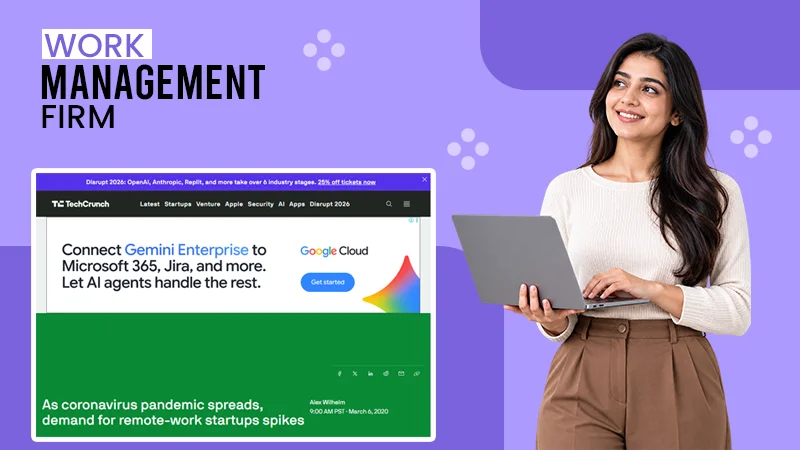
Webflow is for designers who require full control. It provides advanced customization and layout precision. It is efficient, but it takes time to learn.
Core Metrics
- Speed: Medium; setup takes longer.
- Quality: Very high; fully customizable.
- Quantity of Options: Moderate; templates and components.
- Editing Features: Advanced visual editor.
Pros
- Full control over layout and structure.
- Advanced animations and interactions.
- Clean, production-ready code output
- Highly customizable responsive design
- Strong hosting and fast page performance
Cons
- Steep learning curve.
- Slower workflow for beginners.
- Requires design knowledge.
Additions
- CMS and dynamic content tools.
- SEO and performance controls.
- Team collaboration features.
- Built-in hosting with SSL and global CDN
- E-commerce capabilities for online stores
Webflow is just right for users who want full creative control and advanced design flexibility.
Wix

Wix is one of the most popular website builders. It is simple to handle and has many templates and tools available to assist in building a website.
Core Metrics
- Speed: Medium; requires some setup steps.
- Design Quality: Medium; varies by template.
- Quantity of Options: Large; over 800 templates.
- Editing Features: Drag-and-drop editor.
Strengths
- Easy for beginners to use.
- Large selection of templates.
- Flexible customization options.
- Drag-and-drop editor for fast website building
- All-in-one platform with hosting included
Cons
- Designs often need manual improvements.
- Templates can feel generic.
- Some features are locked behind plans.
- Limited flexibility when switching templates
- Can become slower with heavy designs
Additions
- App marketplace for added features.
- SEO and analytics tools.
- Marketing and email tools.
Wix is a solid choice for users who would prefer flexibility and simplicity, but be prepared to spend time editing.
Quick Feature Comparison
| Feature | Design.com | Webflow | Wix |
| Speed | Very fast | Medium | Medium |
| Design Quality | High, ready-to-use | Very high, custom | Medium |
| Templates | 1M+ design assets | Moderate | 800+ |
| Logo & Branding Tools | Full suite included | Limited | Basic |
| AI Features | Extensive | Limited | Moderate |
| Editing Required | Low | High | Medium |
| Ease of Use | Very easy | Advanced | Easy |
| Customization | High (AI-guided) | Very high | Medium |
| File Formats | Full (SVG, PNG, MP4, etc.) | Web-focused | Standard |
| Best For | Fast full branding | Designers | Beginners |
Final Choice
The type of website builder that you choose depends on your work style; some people value speed, while others are more interested in having control over their website. The best platform for you will be one that works with how you operate, as well as your goals.
Website builders generally focus on flexibility with many features and customization options, while others are focused on simplicity and speed. The more features and customization that you desire, mostly leads to longer the timeframes for editing to the desired end results.
FAQs
Does Webflow require coding?
Can I easily change templates with Wix?
There still are limitations to changing template designs; you typically will need to put content back into place. Design.com takes care of this by modifying your brand with all the different types of templates available.
Are websites generated by artificial intelligence safe to use?
Design.com provides you with the means to be 100% certain all assets generated from the platform are commercially safe and have the appropriate licensing for exclusive use.
Related Posts