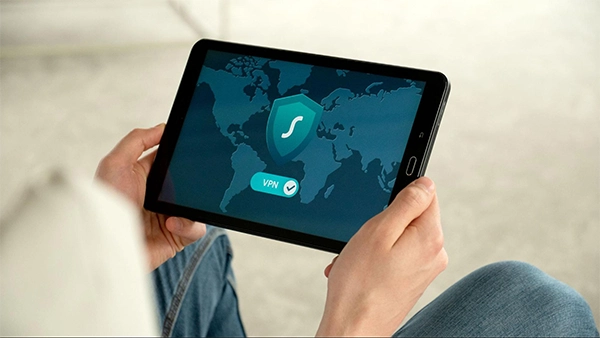
Yes. VPNs are excellent for encrypting internet traffic and protecting your connection on public networks. However, they should be viewed as one layer of security rather than a complete privacy solution.
Why Security-Conscious Users Are Replacing Commercial VPNs with Isolated Remote Environments
POST BY
PUBLISHED
June, 29, 2026
A study found that over 80% of top websites utilize fingerprinting for analytics. It identifies users even when cookies are blocked. A VPN can hide your IP address, but it cannot hide the unique characteristics of your device.
For years, VPNs have been the go-to privacy tool. They encrypt internet traffic and mask your IP address, making them an essential layer of online security. However, today’s tracking techniques have evolved far beyond IP-based identification. Websites now combine browser fingerprints, hardware characteristics, system settings, and behavioral signals to recognize users with surprising accuracy.
As a result, privacy-conscious professionals, cybersecurity researchers, and remote workers are shifting toward a different approach. Instead of merely hiding their network connection, they’re moving their entire working environment into isolated cloud desktops, where their personal devices never directly interact with the websites they visit.
KEY TAKEAWAYS
- VPNs hide your IP address but cannot prevent browser and device fingerprinting.
- Isolated cloud desktops separate your personal device from the websites you visit, improving privacy.
- Remote desktop environments reduce malware risk by containing untrusted software in disposable cloud instances.
- Virtualized workspaces provide consistent privacy and uninterrupted sessions across multiple devices.
Table of Contents:
Moving Past Basic IP Encryption with a Dedicated Server
The biggest weakness of a traditional VPN isn’t the encrypted tunnel. It starts with your own device. Even if all the data from your internet goes out through an encrypted tunnel, your browser still tells many things to the websites you visit.
[Trackers go past the basic web traffic and get info about your system, like which operating system you are on, what fonts you have, your screen size, how your browser shows stuff, and your device’s MAC address. This lets them build a strong device fingerprint just for you.]
Using a strong rdp server stops this way of tracking. It does this by making a new computer space that sits between you and the online world.
Using a remote desktop for work protects your actual machine and system from outside web platforms. They can only view strong business-level server hardware and system files from the data center. Your own laptop is just showing you what is on the screen. This will hide your real device information, settings, and where you are from, or tools that collect data.
| Physical Laptop (Invisible Spec) | ══> Display Stream | Isolated RDP Server (Data Center Spec) | ══> Gigabit Fiber | Open Web / Target (Sees Cloud ID) |
The Operational Disconnect: Network Masking vs. Full Isolation
A lot of smart people don’t use basic proxies anymore. Understanding the difference between network privacy and environment isolation explains why many security professionals are moving beyond consumer VPNs.
- Hardware Fingerprint Exposure: A consumer VPN can let tracking codes see your computer’s hardware details through the browser. A cloud setup blocks this problem. It makes websites see the same clean hardware look every time you visit.
- Session Persistence: When you lose internet connectivity or your system shuts down, the VPN connection also stops. A remote computer does not stop. It stays on all the time, every day of the year, even if you lose your own internet.
- The “Kill-Switch” Reliability Problem: If your normal VPN drops out even for a second, your real home IP could show online fast. A cloud workspace means small breaks in your own internet only pause the stream you see, but the cloud computer keeps working with no leaks since it sits behind the data center’s firewall.
Practical Use Cases for Environment Virtualization
The table compares VPN with isolated cloud environments against various threats:
| Technical Threat Vector | Local Device + VPN Security | Isolated Cloud Desktop Security |
| Advanced Device Fingerprinting | Vulnerable (Leaks local MAC/Hardware IDs) | Immune (Displays neutral datacenter profile) |
| Untrusted Software Execution | High Risk (Local system can be infected) | Zero Risk (Isolated in a disposable sandbox) |
| Multi-Identity Administration | Difficult (Cookie leakage & IP overlap risks) | Seamless (Isolated user profiles per session) |
| Sustained Heavy Workloads | Heavy local RAM drain and overheating | Offloaded entirely to cloud infrastructure |
1. True Sandboxed Malware Protection
Trying out unproven open-source software, running strong web-scraping scripts, or working with new databases can put your computer in danger. If you do these things on an automated remote desktop, it helps keep you safe. If a file is even remotely harmful, it wouldn’t be able to touch your home computer. This keeps your computer and other devices in your house safe.
2. Cross-Device Privacy Clean Rooms
All your work stays in the cloud, so you do not need to think much about which computer you use. You can log in to your safe workspace from a MacBook at home. You can use an iPad at a coffee shop or a Chromebook when you travel. Your actions online will look the same no matter when you log in. Your identity is not linked to the device you use.
Conclusion
VPNs remain valuable for encrypting internet traffic, especially on public Wi-Fi, but they’re no longer enough for users facing modern tracking techniques.
It’s like locking a glass door. The lock can help a bit, but most of the door is still open to risk. For real data freedom, you need to keep your traffic and your computer details apart from each other. A good RDP server in your setup will move you from just hiding your traffic to running everything in its own safe place. When you split your tasks from your physical device, you stop things like device fingerprinting, local data leaks, and tracking. This makes your work private, smooth, and safe. You also stay in control at every step.
FAQs
Is a VPN still worth using?
How does a remote desktop improve privacy?
Instead of websites communicating with your personal computer, they interact only with the cloud-hosted server. This prevents exposure of your real device characteristics and reduces fingerprinting opportunities.
Can an isolated cloud desktop prevent malware infections?
It greatly reduces the risk to your personal device because untrusted applications run inside a separate virtual environment. If compromised, the cloud instance can often be reset without affecting your local computer.
Who benefits most from isolated remote environments?
Cybersecurity professionals, developers, researchers, privacy-conscious users, remote workers, digital marketers managing multiple accounts, and anyone handling sensitive online activities can benefit from this approach.
Related Posts