No, a beginner can start with simple tutorials. It involves an easy way to generate things and can be used with prompts, editing tools and images.
Master Your Fantasy Campaign: Instantly Generate Maps and Backdrops with Kimg AI
POST BY
PUBLISHED
April, 2, 2026
Imagination is the beginning point to run a fantasy campaign. It becomes the moment to decide how long and how efficiently it will run. And unfortunately, most of the campaigns slow down till the presentation. Even after detailed lore and a unique character, players love the rough sketches.
This shows the importance of visual clarity – the process of ideas to an experience. And that’s exactly where Kimg AI helps to draw maps and find relatable artwork within minutes. It uses today’s advanced models such as Nano Banana Pro, Seedream, Flux, and Veo 3 and provide a more personalized result.
Excited to ease your fantasy campaign? Keep reading to master your fantasy campaign and instantly generate maps and backdrops with Kimg AI.
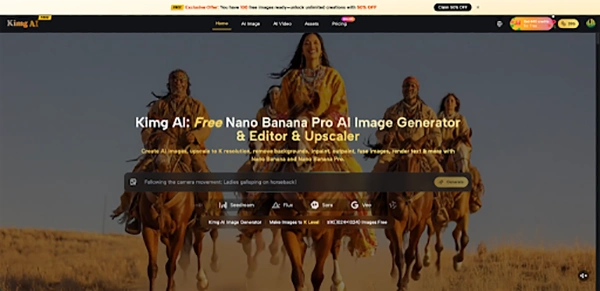
II. Understanding Kimg AI’s Core Image Tools
Before coming to the point of building maps or a character, it is better to understand the core functionality of Kimg AI. Each of the included tools bit different from the previous one – from taking prompts to generating motion video. Know about these models to deepen the understanding:
1. Nano Banana: Flexible Base for Fantasy Concepts
Nano Banana works as a modular image generator for transforming prompts or recent photos into new scenes while maintaining its key structure. For fantasy scenarios, this means a GM can start from a real setting, then transform it into a misty elven forest, a cursed swamp, or a floating archipelago without changing everything.
Support for extra symbolic images helps maintain character looks, clothing layouts, or heraldry across several pieces of art, which is ideal for long-running campaigns.
2. Nano Banana Pro: High-Fidelity Visuals for Flagship Scenes
Nano Banana Pro is positioned as a flagship model on Kimg AI, aimed at users who need top-tier visual quality. Its rendering focuses on refined lighting, convincing materials, and very fine micro-details, which is valuable for city overviews, key dungeons, or iconic locations players will see repeatedly.
Native generation and upscaling to 4K allow GMs to export maps and scene plates that stay sharp on large displays or printed handouts.
3. Supporting Models: Seedream, Flux, and Veo 3
Seedream emphasizes fast image creation, making it useful for roughing out a batch of encounter backgrounds before perfecting critical ones with Nano Banana Pro. Flux focuses on context-aware editing, so a GM can adjust individual objects—such as turning a peaceful village square into a war-torn courtyard—without disrupting the entire composition.
Veo 3 can take still images and turn them into animated clips with motion and synchronized audio, helping GMs present short cinematic intros for major locations or villains.
III. Turning Ideas into Fantasy Maps and Backgrounds
Generating fantasy environments is a time-consuming process. King AI makes this simple by allowing users to start with prompts and images and end with a motion video. Learn how the process goes:
1. Start from Prompts or Photos for Map-Like Scenes
On the image maker page, users can either describe a scene or upload a photo as the starting point. For map-style art, a GM might upload a satellite image or a rough sketch, then describe it as a hand-painted regional map or a parchment-style tactical view.
The system analyzes composition, colors, and subjects, then generates a transformed version that matches the written description while keeping important layout relationships.
2. Use Style Transfer for Distinct Regions
Kimg AI offers style transfer between photos and artistic looks such as anime, oil painting, 3D render, or more refined fantasy art. This lets a GM keep the same outline for a continent while giving each region its own aesthetic—for example, turning one area into dark ink work and another into bright storybook artwork.
Because the same models handle multiple styles, the resulting images still feel like they belong in the same campaign world.
3. Reference Images for Consistent Cartography
Nano Banana and Nano Banana Pro AI support multiple reference images, which helps maintain consistent line work, color palettes, and symbols across different maps. A GM can share a favourite map from earlier in the campaign, then bring up a new city detail map that follows the same style, icons, and border designs.
This keeps region maps, town plans, and dungeon layouts visually uniform, even when created at different times.
4. Background Replacement for Tactical Scenes
For encounter backdrops, the background replacement tools allow simple images to be dropped into new environments. A traditional cobblestone street can become a foggy necropolis, a lava-licked chasm, or a moonlit fortress courtyard while characters and props stay perfectly positioned.
This concept makes it easy to produce several variants of the same battlefield for different stages of a fight.
IV. Building Character and Monster Art That Matches the World
One of the significant needs is building character and monster art that matches the world. And it requires uniform consistency, style, and artwork. Explore how it is done while keeping the emotions of players connected to it:
1. Maintaining Character Consistency Across Sessions
The core models in Kimg AI support multiple reference images, which allows recurring NPCs or player characters to stay visually consistent across several illustrations. GMs can reuse earlier portraits as references when generating new scenes, such as a character in different armor or in a new location.
This is especially helpful when illustrating story arcs, as players can immediately recognize characters as relationships evolve.
2. Style Matching Between Characters and Maps
When the same models are used for both map-like art and character portraits, colors, shading, and the general mood can stay uniform. For example, a muted, gritty palette for a grim campaign can be used all the time to battle maps, NPC art, and item cards.
Flux can correct specific regions of an image, such as modifying armor engravings to match heraldry already shown on a world map.
3. Transforming Sketches into Finished Artwork
The image maker tools accept rough sketches or simple reference photos and upgrade them to polished outputs. A GM can scan a hand-drawn dungeon or a pencil character sketch, then instruct the system to convert it into line art, painted concept art, or high-detail fantasy illustration.
Because the engine respects composition, the original layout remains usable as a practical map or reference.
V. Enhancing Campaign Materials with High-Resolution Output
To make a character feel more realistic and appealing – the character needs to have a high resolution. This ensures the results are clear. Explore how detailed results are used to improve practicality at the table:
1. K-Level Resolution for Print-Ready Assets
Kimg AI specializes in helping users create images at high resolution, including 4K for premium models. For GMs, this means maps and scene plates can be printed at large sizes without becoming blurry or blocky.
A single high-resolution render from Nano Banana Pro can serve as both the in-session screen background and a table map for miniatures once printed.
2. Fine Micro-Details for Close Inspection
For layout-intensive works like city maps or fortress cross-sections, the detailed rendering in Nano Banana Pro allows players to zoom in and still see clear structures and textures. This helps when players want to visit alleys, rooftops, or secret entryways in more detail.
High-detail material offering also suits item cards, such as legendary weapons or collections, where ornamental work matters to the story.
3. Color Depth for Mood and Readability
Strong color depth in Nano Banana Pro AI supports subtle mood shifts in lighting and atmosphere. A GM can emphasize the difference between a safe harbor and a cursed shoreline through color temperature and contrast alone.
Deeper dynamic range also improves readability when text or markers are layered on top of the artwork for handouts.
VI. Editing and Iterating on Existing Campaign Visuals
The campaign world has to change with the change in stories. Instead of working on them from scratch, Kimg AI allows users to edit and work on them. To understand how this works, read the points mentioned below:
1. Context-Aware Edits for Evolving Locations
Flux is designed for context-aware editing, which lets GMs update locations as the story advances without rebuilding them from scratch. A quiet temple image can be edited to show collapsed columns, scorch marks, or magical rifts after a climactic battle.
The rest of the environment, including perspective and surrounding terrain, stays stable, helping players recognize the site over time.
2. Batch Variations for Encounters and Weather
Seedream supports generating many variations quickly, so multiple looks of a key area can be produced in one session. GMs can create daytime, nighttime, foggy, and stormy versions of the same town square to match different scenes.
Once satisfied, a favorite version can be refined further by running it through Nano Banana Pro for the final 4K-quality export.
3. Text and Symbol Integration Into Visuals
Flux can handle text-inside-image generation, enabling titles, location names, or directional labels to be embedded directly into maps. This is helpful for regional overviews, trade routes, or dungeon levels where orientation matters.
Labels can follow perspective lines or curves, looking like a natural part of the artwork instead of flat overlays.
VII. Bringing Fantasy Maps to Life with Motion
While images attract the users, motion creates its own vibe with drama. Explore how Kimg AI motion tools bring fantasy maps to life with motion:
1. From Static Maps to Animated Flythroughs
Veo 3 can turn a still image from Nano Banana or Nano Banana Pro into a video sequence with motion. A GM might animate clouds drifting over a kingdom map or waves crashing against a coastal fortress while the camera slowly pans.
This kind of short clip creates a memorable opener for new chapters in the campaign.
2. Native Audio for Atmospheric Intros
Veo 3 also supports audio that matches the visual content. A map of a storm-wracked island can gain rolling thunder, crashing surf, and distant horn calls in a single export.
When played at the table or in an online session, this combined audio-visual intro immediately signals a change in tone.
3. Story Continuity Through Frame Control
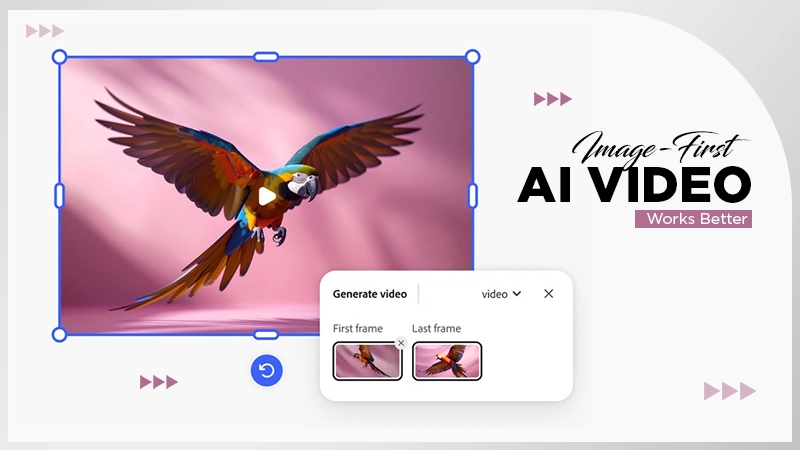
Frame control features in Veo 3 allow users to choose first and last frames for smooth transitions between scenes. This helps link a region map to a specific city, then to a close-up of a tavern or dungeon entrance, all within the same visual style.
Because the whole pipeline uses images generated in Kimg AI, detail and look remain coherent from start to finish.
VIII. Conclusion: Turn Preparation into Immersion
Fantasy campaigns start with a strong mindset, but eventually lack the strong visuals. You may have strong lore, but still feel left behind due to the absence of rough sketches and descriptions to think about it.
But with Kimg AI, maps, locations, and characters stop being vague sketches and start feeling like real places players can explore. By combining Nano Banana, Nano Banana Pro, Seedream, Flux, and Veo 3 in a simple workflow, Game Masters turn preparation time into rich, visual storytelling that supports every roll of the dice.
FAQs
Do I need to be experienced to use Kimg AI?
Is Kimg AI suitable for both online and other games?
Yes, the platform allows using it for various purposes, such as to use generated visuals as a virtual tabletop and printed maps in sessions.
How does it turn an image into a video?
It takes the help of Veo3 to take a phone from Nano banana and Nano banana pro to convert it into a motion video.
Related Posts