Yes, AI can significantly enhance video quality by upscaling resolution (e.g., to 4K),
What I Learned After Two Months of Actually Using AI Video Tools as a Complete Beginner
POST BY
PUBLISHED
February, 10, 2026
When I initially learned about AI video generators, I thought I could type a sentence and see a well-produced video appear in a matter of seconds.
The truth? Characters with moving faces, objects that changed in mid-scene, and lighting that changed randomly were the strange results of my first dozen attempts.
This post explores the clumsy, unglamorous early days of learning these tools and what really helped me get past the trial-and-error stage for anyone thinking about using AI-powered content creation but unsure where to begin.
So let’s get started!
Key Takeaways
- Understanding the gap between expectations and the first output
- Uncovering how AI saves from the deadline crisis
- Looking at some unwanted mistakes that can cost hours
- Decoding why this approach is right for your workflow
The Gap Between Expectation and First Output
Most beginner guides skip the awkward part: your first results will probably disappoint you.
I began with straightforward questions like “a person walking through a park.” Technically accurate but visually strange, the AI video generator produced stiff movement, strange shadows, and a background that didn’t quite blend in with the foreground perspective.
The issue wasn’t the tool. It was my assumption that AI would interpret vague instructions the way a human director would.
What changed my approach:
- Specificity over brevity: Instead of “walking through a park,” I learned to write “a woman in a blue jacket walking on a gravel path, morning sunlight filtering through oak trees, steady camera following from behind.”
- Iterative improvement: I no longer held myself to a high standard the first time. My third or fourth version produced the most useful results.
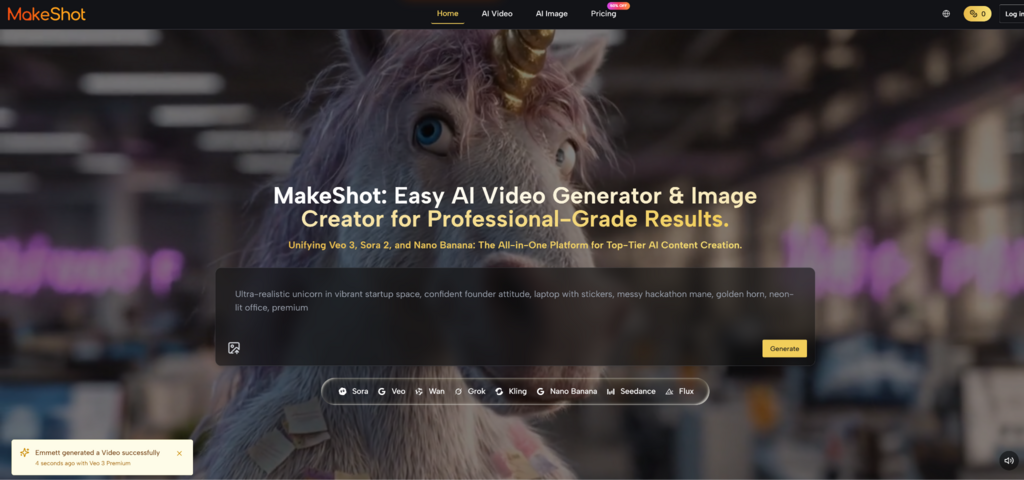
- Model comparison: I found that different engines perform better at different tasks. Sora 2 was masterful at cinematic framing, while Veo 3 did a good job with natural motion.
This wasn’t obvious from tutorials. It came from generating dozens of clips and noticing patterns.
Why I Started Testing Multiple Models Instead of Sticking to One
Three weeks in, I hit a plateau.
I was using a single AI image creator for everything—social posts, mockups, concept art. The results were consistent but started feeling repetitive. A friend suggested trying different models for different tasks.
That shift changed how I approached projects.
Here’s what I noticed:
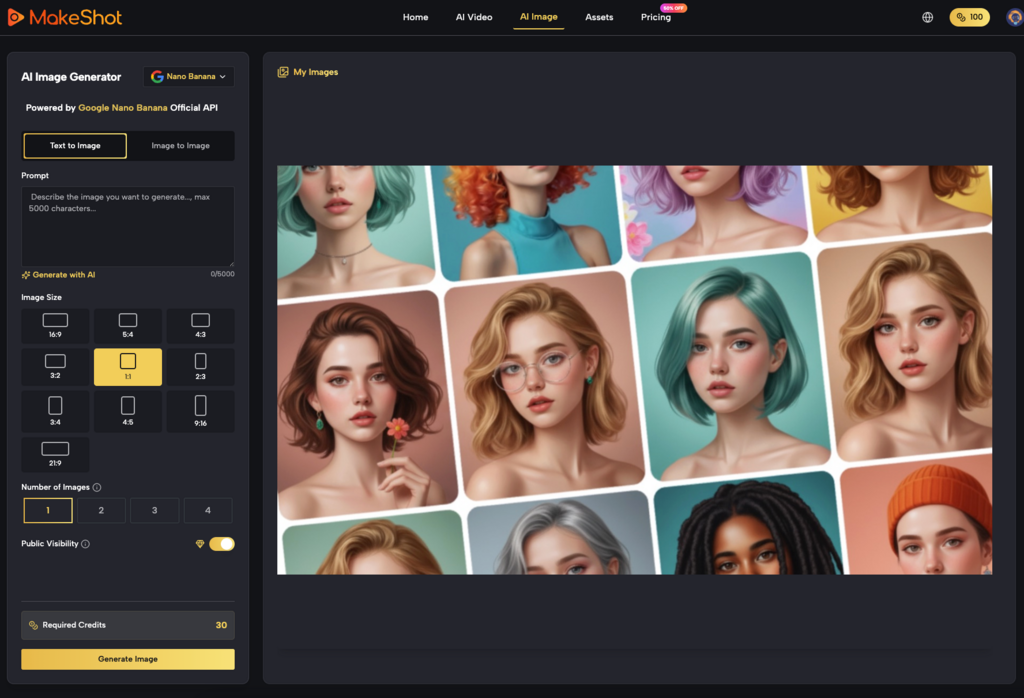
Nano Banana produced hyper-realistic product shots with accurate lighting and texture detail. When I needed a lifestyle image of a coffee mug on a wooden table, the grain and reflection quality looked professionally photographed.
Grok leaned toward stylized, experimental outputs.
It provided me with unexpected visual directions for abstract social media graphics or creative concept exploration that I never would have considered asking for.
Seedream put speed first. It produced usable results more quickly than the alternatives when I needed to create 20 different versions of a background texture for A/B testing.
I didn’t switch because one was “better.” I switched because each handled specific content types more effectively.
Interesting Facts
AI tools can reduce video production time by 34% to 50%. Additionally, 63% of businesses report that AI tools cut production costs by 58%.
When AI Actually Saved Me From a Deadline Crisis
Two months in, I had a real test case.
For a four-day campaign launch, a client required fifteen product demo videos. Typically, this would have involved scouting locations, hiring a small crew, and post-production for at least a week.
I used Sora 2 for the main product shots and Veo 3 for the lifestyle scenes with native audio generation. The audio feature was particularly useful—instead of sourcing background music and sound effects separately, the tool generated ambient sounds that matched the visual context.
What worked:
- Reference image coherence: In order to preserve visual coherence, I uploaded the product photos and used them in each of the 15 videos.
- Prompt templates: Following the first three videos, I made a prompt structure and changed just the particulars for every variation.
- Strengths unique to each model: I gave Sora 2 cinematic storytelling shots and Veo 3 photorealistic close-ups.
Thirteen of the fifteen videos were approved by the client, with minor comments. The two that needed revisions had lighting inconsistencies I should’ve caught during review.
This wasn’t a miracle outcome. It was the result of two months of learning what each model handled well and where I needed to compensate with better prompts.
The Mistakes I Made That Cost Me Hours
Mistake 1: Overcomplicating prompts too early
My early attempts included paragraph-long descriptions with excessive detail. The AI image creator ignored half of it and latched onto random elements.
What helped: I started with a core concept (subject, action, setting), generated a baseline, then added refinements in subsequent iterations.
Mistake 2: Ignoring the reference image feature
For weeks, I relied solely on text prompts. When I finally tested uploading reference images with Nano Banana, the output quality jumped significantly—especially for character consistency across multiple frames.
Mistake 3: Not comparing outputs side-by-side
I’d generate with one model, decide it was “good enough,” and move on. When I started generating the same prompt across multiple models and comparing results, I realized how much quality variance existed between engines.
What “Professional-Grade” Actually Means in Practice
Marketing materials love this phrase. Here’s what it meant in my experience:
Details and resolution complied with broadcast requirements. Without any issues with quality, I used outputs in client presentations.
The fear of licensing was removed by commercial usage rights. I didn’t have to keep track of usage limitations or attribution requirements.
As I became familiar with the behavior patterns of each model, consistency across projects improved. Which engine would provide the desired aesthetic was predictable to me.
Nevertheless, “professional-grade” did not imply “zero editing required.” Even so, I made color grading adjustments, cut clips, and sometimes combined elements from different generations.
The Learning Curve Flattens, But Never Disappears
After two months, I’m faster and more confident. I can estimate how many iterations a project will need and which model to start with.
But I still encounter unexpected outputs. A prompt that worked perfectly last week might produce something off this week because I changed one adjective. The AI video generator interpreted “warm lighting” differently than “golden hour lighting,” even though I thought they meant the same thing.
This isn’t a flaw—it’s the nature of working with probabilistic systems. The tool doesn’t “understand” your intent; it predicts visual patterns based on your input.
What helped me adjust:
- Keeping a prompt library: I save successful prompts and note what worked about them.
- Reviewing failed outputs: Instead of deleting bad results immediately, I analyze what went wrong to avoid repeating the mistake.
- Setting realistic timelines: I budget extra time for iteration, especially on new project types.
Is This Approach Right for Your Workflow?
AI-powered content creation isn’t universally better—it’s situationally useful.
It made sense for me when:
- I needed to produce high volumes of similar content (social posts, product demos, concept variations).
- Traditional production methods were cost-prohibitive or time-constrained.
- I was willing to invest time learning prompt engineering and model behavior.
It didn’t replace traditional methods when:
- I needed frame-perfect control over every visual element.
- The project required specific human performances or interactions.
- The creative direction was still evolving and needed rapid in-person collaboration.
The most effective approach I’ve found combines both. I use AI tools for initial concept exploration, background generation, and high-volume content needs—then apply traditional techniques for final polish and specific creative requirements.
Where I’m Still Learning
Two months isn’t mastery. I’m still figuring out:
- Complex scene composition: Multi-character interactions with specific spatial relationships remain inconsistent.
- Stylistic coherence across long projects: Maintaining a unified visual aesthetic across 50+ assets requires more manual oversight than I expected.
- Efficient prompt versioning: I haven’t found a systematic way to track which prompt variations produce which results.
These aren’t dealbreakers. They’re the next phase of the learning curve.
The first month of this journey will likely feel ineffective if you’re just starting out. Compared to keepers, you will produce more useless content. You’ll wonder if the time spent is worthwhile.
The ratio reverses around week six. You’ll start producing usable outputs more often than not. The tool will feel less like a black box and more like a creative instrument you’re learning to play.
That’s when it stops being a novelty and starts being a workflow component.
Can AI improve a video?
What are the 7 C’s of artificial intelligence?
It includes concepts like Capability, Capacity, Collaboration, Creativity, Cognition, Continuity, and Control.
Why do 95% of AI projects fail?
They mostly fail due to weak data quality and rigid processes.
Related Posts