
Your First AI-Generated Video: A Realistic Guide for Beginners
POST BY

PUBLISHED
February, 12, 2026
“AI is neither good nor evil. It’s a tool. It’s a technology for us to use.”
– Oren Etzioni (Computer Scientist)
While filmmakers are crying that studios will shut down, cinema enthusiasts with a penchant for direction have started dreaming about finally entering the industry.
Generative AI videos have changed the rules of the game.
With this incredible tech, you can finally transform the sorry script you wrote into a full-fledged cinematic video.
Things might not go this simply or perfectly, but you get the point.
To get to perfection, you might need to keep some things in mind and learn along the way.
If you are a beginner to creating generative videos, I have written this guide exactly for you. It will guide you through your first attempts during the process, though you should also adjust your expectations.
KEY TAKEAWAYS
- In start, keep your expectations low regarding the quality and accuracy of AI-generated videos.
- All synthetic media generators are based on different models, so they also work differently and push out different results.
- If you’re not getting expected results with text-to-video, try image-to-video and storyboarding.
- If you are a professional, make sure the generative video tool grants commercial rights to the output videos.
The Beginner’s Mindset: Replacing Hype with Practical Steps
Your first generative video didn’t turn out to be like you thought?
Don’t worry. Even I failed at my first attempt when the output looked nothing like what I had playing in my mind.
After seeing what stunning videos people have generated with the help of Sora AI video generator, it’s natural to assume you’ll also replicate that fluid, realistic, and complex output immediately.
The reality is more iterative. Think of your first ten generations not as final products, but as experiments. Your goal isn’t to create a masterpiece right away, but to learn the language of the machine.
Here’s a practical starting workflow I followed:
- Start Simple: Begin with a basic, static scene. “A cat sleeping on a windowsill” is better than “a cat dramatically leaping through a magical portal during a thunderstorm.”
- Embrace the Edit: Your first prompt will rarely yield the perfect clip. Analyze what you got. Was the lighting wrong? Was the motion too slow? Use that to refine your next text instruction.
- Compare Models: On platforms that offer multiple engines, like those with access to a Sora 2 Video Generator and other models, generate the same simple prompt with different options. Note the differences in style, motion, and coherence.
Demystifying the “Text-to-Video” Black Box
Converting text-to-video is all fine, but how does it work under the hood?
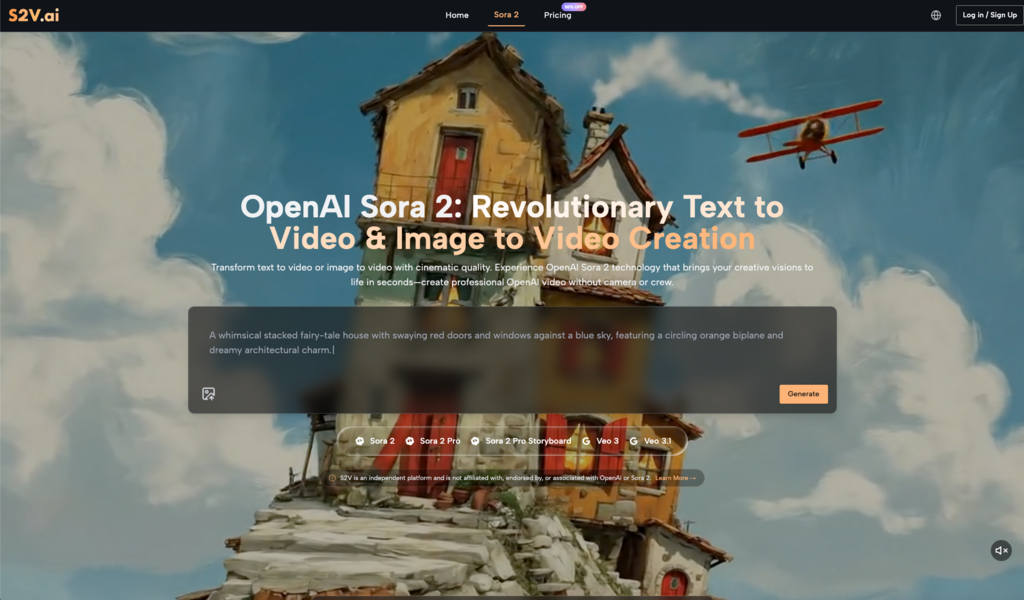
While models like Sora 2 are intrinsically very technical and complex, what the user observes at the outset is mostly translation. You are translating your visual idea into descriptive language that the AI can understand.
It’s less about programming and more about providing clear, contextual details. The AI Video Generator interprets these details—objects, actions, mood, camera angle—and calculates the most probable visual sequence.
A common misconception: That you need technical or cinematic jargon. Often, clear, natural language works best. “A wide shot of a vintage car driving down a rainy city street at night” is an excellent prompt. The AI understands “wide shot,” “vintage car,” “rainy,” “city street,” and “night” as connected concepts.
My Early Trial and Error: Two Key Lessons
I learn two invaluable lessons in my early tinkering with the AI generation tools.
First, specificity is a double-edged sword. Listing too many precise details (e.g., “a red-haired woman in a green jacket, wearing silver earrings, smiling subtly while holding a coffee cup”) can confuse the model, resulting in a warped image. Starting broader and adding detail incrementally is more effective.
Second, audio is a game-changer, but it’s not universal. Early text-to-video models generated silent clips. Now, some advanced models, like Google’s Veo 3, offer native audio generation—creating synchronized soundscapes automatically. Discovering that not every Sora 2 AI Video Generator output includes sound was an important reality check. It taught me to check the capabilities of the specific model I was using before planning my final project.
INTERESTING STAT
AI can save about 80% of your time during video production (Source).
Choosing Your Tool: Understanding the Model Landscape
All generative video tools might seem the same on the surface, but they are pretty different underneath. Each of them is built on a different underlying model, with its unique strengths and weaknesses. A platform like S2V, which integrates top models from OpenAI and Google, is useful for learning because it highlights these differences in one place.
You might find that one model, like OpenAI’s Sora 2 Pro, excels at cinematic, high-detail single scenes. Another, like the Pro Storyboard variant, is designed for maintaining character consistency across multiple shots, which is crucial for short narratives. Meanwhile, a Sora 2 Video from one model and a Veo 3.1 video from another will have distinct visual textures and motion styles.
For a beginner, this means you have the freedom to match the tool to the task. Need a quick, stylish clip for social media? A faster “Basic” model might be perfect. Creating a short narrative ad? A model with storyboard capabilities is essential.
From Image to Motion: A Surprisingly Accessible Feature
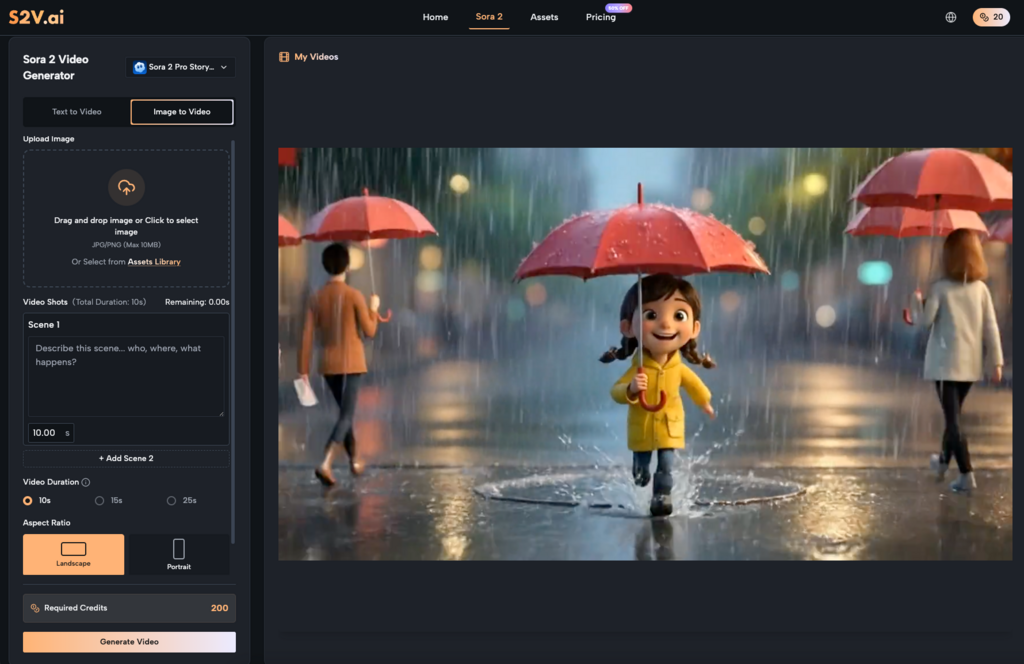
A more advanced and definite feature for beginners is image-to-video. It gives you a concrete starting point. You upload a photo—a product shot, a landscape, a portrait—and instruct the AI on how to animate it.
This bypasses the initial challenge of describing a scene from scratch. Your prompt can focus purely on motion: “gentle swaying of the trees,” “slow zoom on the product logo,” “subtty rippling water.” Seeing a static image come to life is a powerful way to understand the AI’s capabilities and limitations regarding motion physics and temporal consistency.
Adjusting Your Creative Workflow
AI video generators don’t have creativity in-built per se. So, you still have to be creative. It’s just that the focus and application of that creativity shifts a little.
In a traditional video production, immense effort goes into filming, lighting, and set design. In an AI-assisted workflow, that effort is redirected to pre-visualization and prompt engineering.
- Pre-Visualization: Spend more time mentally seeing your scene before you type. What’s the focal point? What’s the emotional tone?
- Prompt Engineering: This is your new core skill. It’s writing detailed, structured descriptions. Learn which keywords (like “cinematic,” “steadycam,” “golden hour”) reliably steer the model.
- Post-Production: AI-generated clips are raw assets. Budget time for basic editing—trimming clips, arranging sequences, adding voiceovers or text. Even a clip from a Sora 2 AI model might need color correction or pacing adjustments in a simple editor.
Realistic Outcomes for Commercial Use
Anything AI comes with the pressing question: who owns the output if it is generated by AI, which itself takes inspiration from multiple creations? It becomes a confusing situation, especially for professional creators using this tool.
Reputable platforms typically grant full commercial rights to your generated videos. This means you can use them in client projects, ads, or on your YouTube channel. However, always verify the terms of service. The true commercial value isn’t just in the rights, but in the efficiency gain.
You are trading budget for iteration time. Instead of paying for a day of filming, you are investing hours in crafting and refining prompts to generate a base asset. For small businesses and solo creators, this can democratize high-quality video content.
Building Longer Narratives: The Pro Storyboard Approach
Creating full-length movies is not far off, but at the moment, even achieving a cohesive 30-second or 1-minute video is a good enough goal.
Synthetic media generators supporting storyboarding greatly help in this situation. The key is planning your narrative in distinct, sequential scenes.
Instead of one long prompt for an entire story, you break it down: “Scene 1: A person looks at a problem on their computer, frustrated. Medium shot, office setting.” “Scene 2: They discover the solution (our product). Close-up on their face showing relief.” By generating these scenes with a model designed for continuity, characters and styles remain consistent, allowing you to stitch them together into a seamless narrative.
The Path Forward: Gradual Integration
The only way is through. You have to try out Sora AI Video Generator or any other of your favourite generative video tools to get competent at the art. In start, you can use it for generating just B-rolls or background visuals for your organically recorded content. As you grow more confident, let it handle more complex scenes.
Remember, the tool’s purpose is to augment your process, not define it. The “cinematic reality” it promises is earned through patience, experimentation, and a willingness to learn from every generated frame. The barrier to entry has been lowered, but the path to mastery is still paved with thoughtful, creative effort. Start simple, observe closely, and iterate relentlessly.
FAQs
How to start with creating generative videos as a beginner?
As a beginner, use simple, all-in-one AI generation tools. Try to generate small clips. Learning prompt engineering and editing through trial and error.
Which free generative video tool is the best for beginners?
CapCut and Canva are the best AI generators for beginners.
Which AI can create realistic videos?
Currently, Sora is considered the top AI video generator for realistic results.
Related Posts