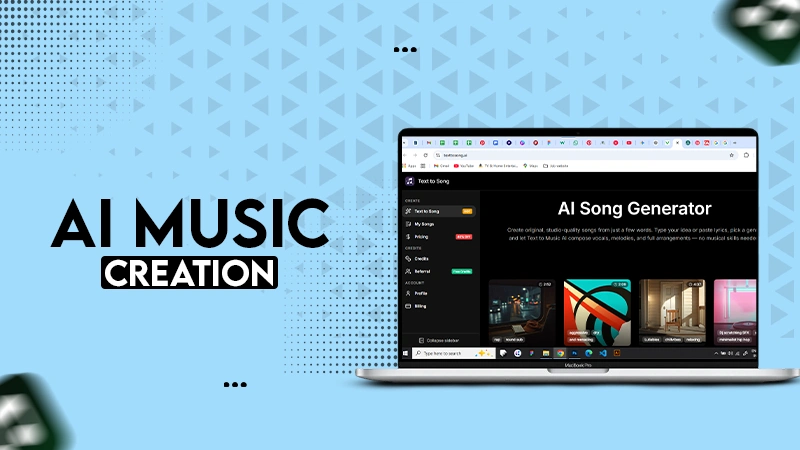
An AI song maker is a music generation tool that composes original music, tracks, beats, and more with text prompts from the user.
AI Song Maker As A Fast Musical Decision Engine
POST BY
PUBLISHED
March, 6, 2026
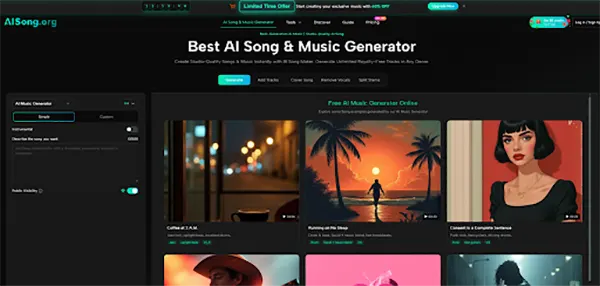
Ever felt that a beat didn’t land perfectly or the vocal space felt wrong? Especially after you spent an hour arranging the demo.
These things happen more than you think; all your resources and time get wasted, and your confidence depletes, leaving you without any more ideas. This is where an AI Song Maker becomes useful by helping you follow a structured “audition pipeline”.
In this article, we’ll explore how you can polish beats, fix the vocal space, compare versions of your music in a short amount of time, and more with such a tool.
Key Takeaways
- How the tool provides you with many options to work with
- Workflow suited to how music production actually functions
- How can you avoid the pitfalls and save yourself time
- Where the tool works best and how you can improve drafts with your inputs
Why Auditioning Beats Chasing The Perfect First Draft
The old songwriting loop often forces you to commit too early. You pick a chord progression, then you design a groove around it, then you draft a topline, and only later do you find out whether the whole thing actually carries the emotion you intended. It is a sequence where each step depends on the last, and that feels painful.
A faster loop starts by generating multiple plausible drafts from the same intent. Instead of asking, “Can I finish this song?” you ask, “Which version of my intent is most convincing?” That seems like a small mindset shift, but it changes everything:
- You compare outcomes, not theories.
- You learn what your prompts reliably produce.
- You become better at describing music in practical terms.
This is very helpful for those who make music as a job, like video creators, developers, educators, etc.
Two Inputs That Create Different Kinds Of Confidence
Starting from a text prompt and starting from lyrics creates different types of clarity.
If you begin with a text prompt, you are testing the vibe: groove, texture, and energy curve. This is great when you are unsure whether the idea should be bright, tense, playful, or intimate.
If you begin with lyrics, you are testing singability and narrative flow. You can quickly hear whether your chorus phrasing feels natural, whether the verse can carry detail without sounding crowded, and whether repetition lands the message.
Neither path is “better”; the ultimate choice rests with the user. Whichever path the user likes more can be further configured to better suit their needs.
A Useful Rule For Choosing Text Or Lyrics First
If you are unsure what the song should feel like, start with a text prompt and iterate on mood and arrangement.
If you are sure what you want to say, start with lyrics and iterate on style and vocal feel.
This keeps the iteration focused, and it reduces the common failure mode where you change everything at once and learn nothing from the result.
Treat Model Selection Like A Budget For Exploration
AI Song Generator Model choice is not just about quality. It changes your willingness to explore.
In my testing, using a balanced model for most iterations makes it easier to generate multiple drafts and compare them calmly.
Then, when a specific direction is clearly the winner, you can generate a higher-quality version of that same direction. The sequence matters: exploration first, refinement later.
This perfectly encapsulates how professional music production works in each session, where early takes focus on discovering, and later stages are focused on capturing what is generated, but with more clarity.
Style Adherence Versus Discovery In Practical Terms
Two controls shape the “personality” of your results: how strictly the output follows your requested style, and how much it is allowed to behave experimentally.
High adherence can be a lifesaver when you need predictable outputs for a brief, like a calm background track for narration. Lower adherence is useful when you are hunting for a surprising melodic turn or an unexpected instrumentation choice.
I found it helpful to assign an intention to each run:
- “Brief-first” runs: prioritize faithful genre and mood translation.
- “Discovery” runs: allow drift to see alternative interpretations.
When you name the intention, you can evaluate the result fairly. A discovery run is not a failure because it is weird; it is only a failure if it is unusable.
Weirdness Constraints Reduce The Feeling Of Randomness
If the outputs feel like they swing too widely between runs, tightening the constraint that governs experimental behavior can help. In my tests, this tends to keep arrangement and rhythm choices closer together across iterations, which makes comparisons easier.
The trade-off is that you may see fewer surprising results, but you gain repeatability—valuable when you are trying to converge on a final direction.
A Shortlist Workflow That Matches How Creators Actually Work
Instead of looking for the perfect music generation right from the get-go, aim for shortlisting a couple of tracks, which you believe need only a bit of tinkering to sound perfect. You are refining the best option, not rescuing a mediocre one.
Here is a useful three-stage view:
- Draft: generate multiple versions quickly.
- Select: pick one or two that carry the strongest intent.
- Refine: regenerate from the best candidate to tighten it, not reinvent it.
This is the moment where a library view becomes important, because you want to keep the candidates that are “almost right.” In real creative work, “almost right” is often the seed of “exactly right” after one targeted change.
A Three-Step Use Flow Based On Official Actions
- Choose your starting method: either write a text prompt to define mood and style, or provide lyrics when the message and structure are already known.
- Set key options before generating: select a model level appropriate to your stage, decide vocal preference if relevant, and adjust style adherence or experimental behavior based on whether you are exploring or refining.
- Generate, compare, and manage outcomes in your library: keep the best versions, regenerate when you want variations, and use the saved results as reference points for future prompts.
That is the whole process. It is simple by design because speed is the point.
How To Compare Drafts Without Overthinking
When you listen, do not evaluate everything. Pick two or three criteria and stick to them:
- Does the chorus feel like it arrives, or does it just repeat?
- Does the groove support the emotional message?
- Does the vocal phrasing feel natural over the rhythm?
If a draft wins on two criteria, it belongs on the shortlist even if it is imperfect.
Did you know?
In April of 2023, an AI-generated song mimicking Drake and the Weeknd was uploaded on streaming platforms. It quickly went viral, garnering a total of $9400 and over 11 million views made off of total streams
Common Pitfalls And How To Avoid Them
The most common mistake is writing prompts that describe everything and commit to nothing. Ten adjectives that pull in different directions often produce a song that sounds coherent but emotionally blurred.
Another mistake is changing too many variables between runs. If you change the model, the style, the lyrics, and the vocal preference all at once, you cannot tell what caused the improvement.
In my testing, the best results came from controlled iteration: keep one thing constant, adjust one thing intentionally, and listen for the difference.
Prompt Discipline That Improves Predictability
A practical prompt discipline looks like this:
- One genre label you actually mean.
- One emotional color.
- One anchor detail (instrument, groove, or tempo feel).
- One usage hint (background, vocal-forward, cinematic build).
This gives the generator enough structure to be coherent without forcing it into contradictions.
Lyric Drafts Benefit From Simple Structural Signals
When using lyrics, clarity beats poetry at this stage. A clean verse and chorus separation often produces a more convincing arrangement.
You can always make the lyrics more nuanced later, but getting a chorus to feel singable usually requires obvious repetition and a strong rhythmic shape.
A Comparison Table Focused On Decision Value
| Decision You Need To Make | What The Tool Helps You Hear Quickly | What Usually Takes Long Manually | Useful Result |
| Is this vibe worth pursuing | Immediate draft in a chosen style | Building a beat and rough arrangement | Clear decision in minutes |
| Do these lyrics sing well | Melody and phrasing reveal awkward lines | Writing topline by trial and error | Targeted lyric edits instead of guesswork |
| Which direction is strongest | Multiple variations enable A/B listening | Rebuilding new demos from scratch | Shortlist of candidates |
| When to refine quality | Model choice supports a staged workflow | Polishing too early wastes time | Explore first, refine later |
This is not about replacing musicians. It is more about protecting your attention and time.
Where The Tool Shines And Where It Needs You
It shines when you need fast drafts to evaluate, especially when you are deciding among directions rather than polishing one track. It is also strong when you are working under constraints: a deadline, a video timeline, a game scene, or a brief with a specific mood.
It needs your input when context matters. If you want an exact change in a part, you will have to listen and choose.
So, for a final release, you will have to revise and check everything to fit your needs and guide the output till finalization.
In my experience, the most productive approach is honest: the system gives you speed and options; you provide intent, selection, and refinement. When those roles are clear, the workflow stops feeling like gambling and starts feeling like a repeatable creative method.
What is an AI song maker?
Is the music generated from this tool royalty-free?
Yes, all the tracks, lyrics, and music that you make from the tool are completely original and copyright-free.
How can I customize created tracks from the tool?
The generative song maker provides you with many customisation options like adjustment of tempo, lyric changes, modifications according to mood, etc.
Can beginners use this tool effectively?
Definitely, this tool is designed in a very beginner-friendly way, so anyone can use it to create original music.
Related Posts